Here's What's New in 4M: November 2025
Written by

Chris Garafola
Published on
.svg)
December 2, 2025
Table of contents
November brought meaningful enhancements that give teams more control, clarity, and standardization across their utility workflows. From real-time in-app notifications to streamline collaboration, to ASCE-aligned mapping data that strengthens consistency across project workflows—each release was designed to help you work smarter and stay aligned across your organization.
New Features and Updates
Stream 4M Data with More Control — Now by Folder
We’ve enhanced the 4M WFS API to provide you with even more control and flexibility in connecting 4M data to your external tools. You can now stream data directly from a specific folder into your GIS and CAD environments, including ArcGIS, QGIS, and more.
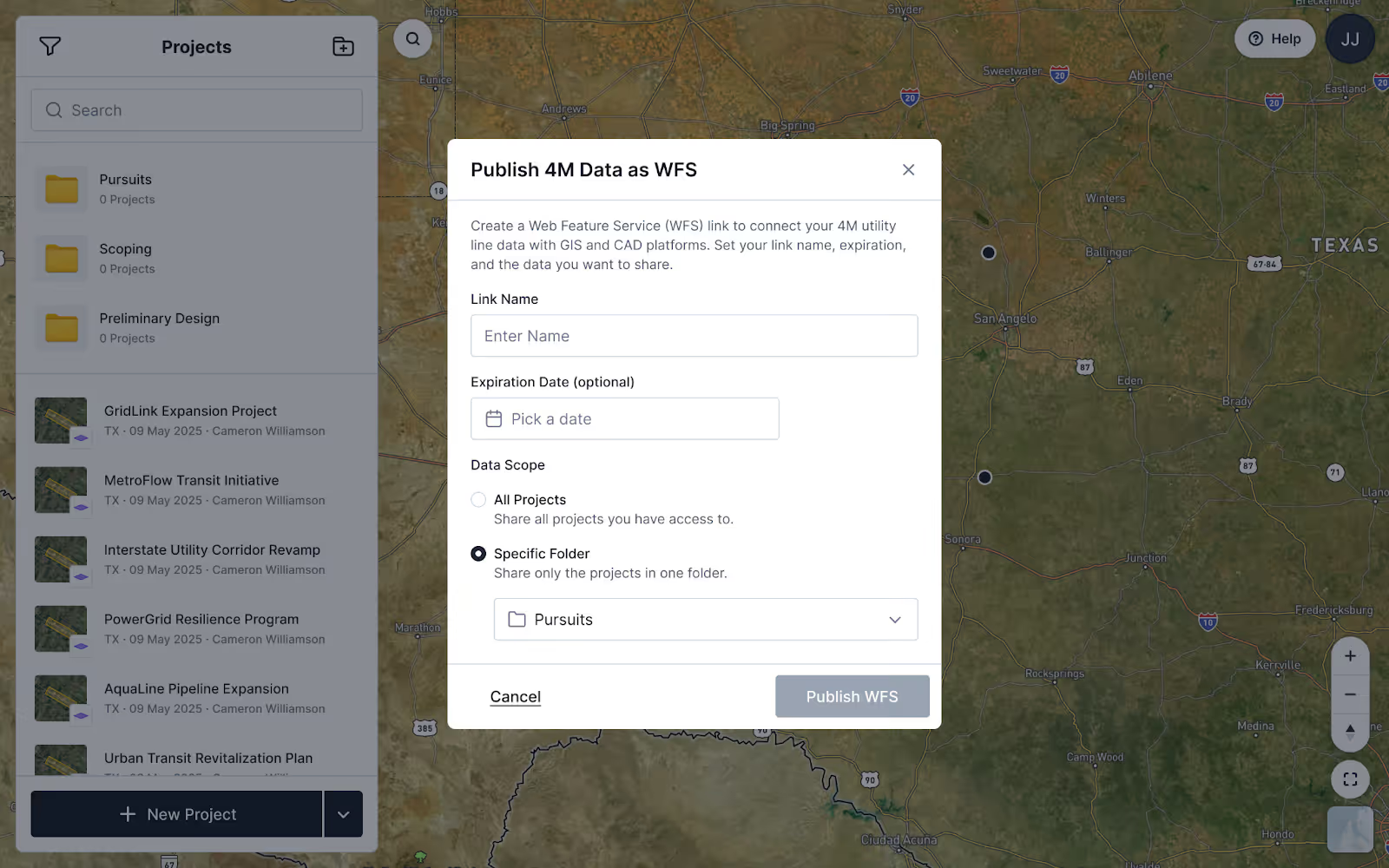
Previously, streaming via WFS dmeant sharing data from your entire 4M organization. With this update, you can compartmentalize your data, deciding exactly what to share and with whom.
This is especially useful for teams managing projects across multiple regions or collaborating with external partners. For example, if you want to share a WFS link externally or limit access to data for a particular region, you can now publish only the relevant folder, keeping everything else private and organized.
👉 Learn more about the WFS API in our help article.
Stay Informed with In-App Notifications
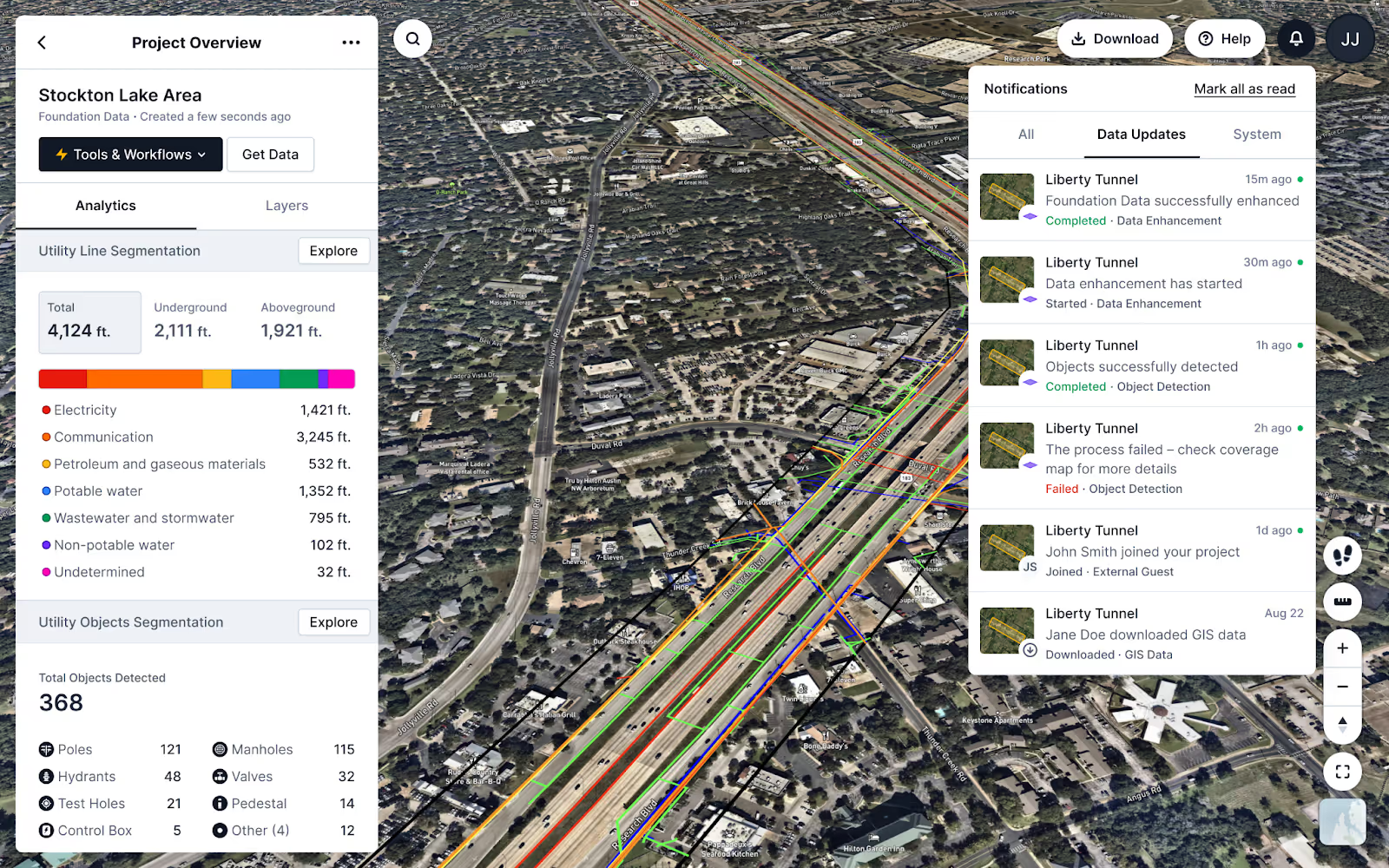
Staying aligned on project data is easier than ever. This month, we introduced in-app notifications, giving teams real-time visibility into key updates about their projects' data. Whether a new data layer becomes available in Foundation Recovery or Object Detection has been completed, users now see timely alerts directly inside 4M, keeping everyone up to date. This improvement supports smoother collaboration and helps teams act with confidence in the data they have.
Define Custom Fields for your Team with Custom Organization Settings
Organizations can now tailor 4M to match the structure of their own internal workflows. With Custom Organization Settings, Admins can define custom fields for both users and projects. This includes:
- Custom User Settings: Custom fields for user account setup (e.g., department, region, etc.)
- Custom Project Settings: Custom fields for project creation (i.e., awarded or not, business line, etc.)
This flexibility reduces off-platform tracking and ensures that project and user metadata stays organized in one source of truth. The first release is available by request through your CSM; reach out to learn more.
Ensure Consistent, Industry-Aligned Utility Data with ASCE Standards in 4M
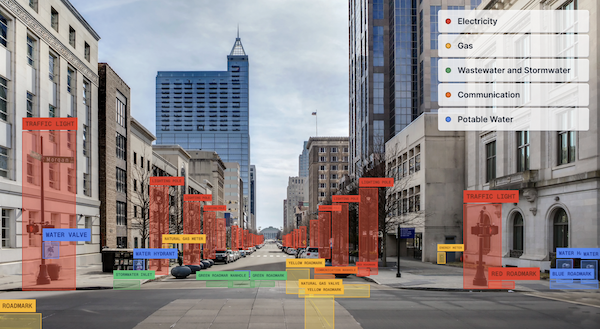
To support industry alignment and smoother integrations, 4M now adheres to the ASCE Standard Guideline for our mapping data. Utility line colors and naming conventions have been updated to follow ASCE guidelines, enabling clearer interpretation and reducing translation work when moving between 4M and CAD or GIS systems. This update brings greater consistency to project deliverables, ensuring teams work from a standardized, trusted dataset across every project.
👉 See how 4M uses the ASCE Standard across projects.
See you next month
That’s a wrap for November. Explore our help center for step-by-step guides and in-depth explanations of each update. We’ll be back next month with more ways to keep your projects moving forward smarter, faster, and safer with utility AI mapping.

Recent blog posts

.png)

.svg)

.png)

Our Newsletter
Join 7k infrastructure professionals
Get monthly insights on ways to build smarter, faster and safer with Utility AI.