Here's What's New in 4M: May 2026
Written by

Nicole Heger
Published on
.svg)
May 31, 2026

.png)
Table of contents
May was a focused month, with two updates designed to help teams work faster and make better decisions. For T&D and transportation teams, new pole analysis capabilities make it easier to uncover corridor-level insights by filtering and exploring pole data across an entire project. And for admins managing growing teams, new bulk user management tools reduce manual effort and simplify organization at scale. Here's what's new.
New Features and Updates
Advanced Pole Analysis: Corridor-Level Pole Intelligence, Without a Field Visit
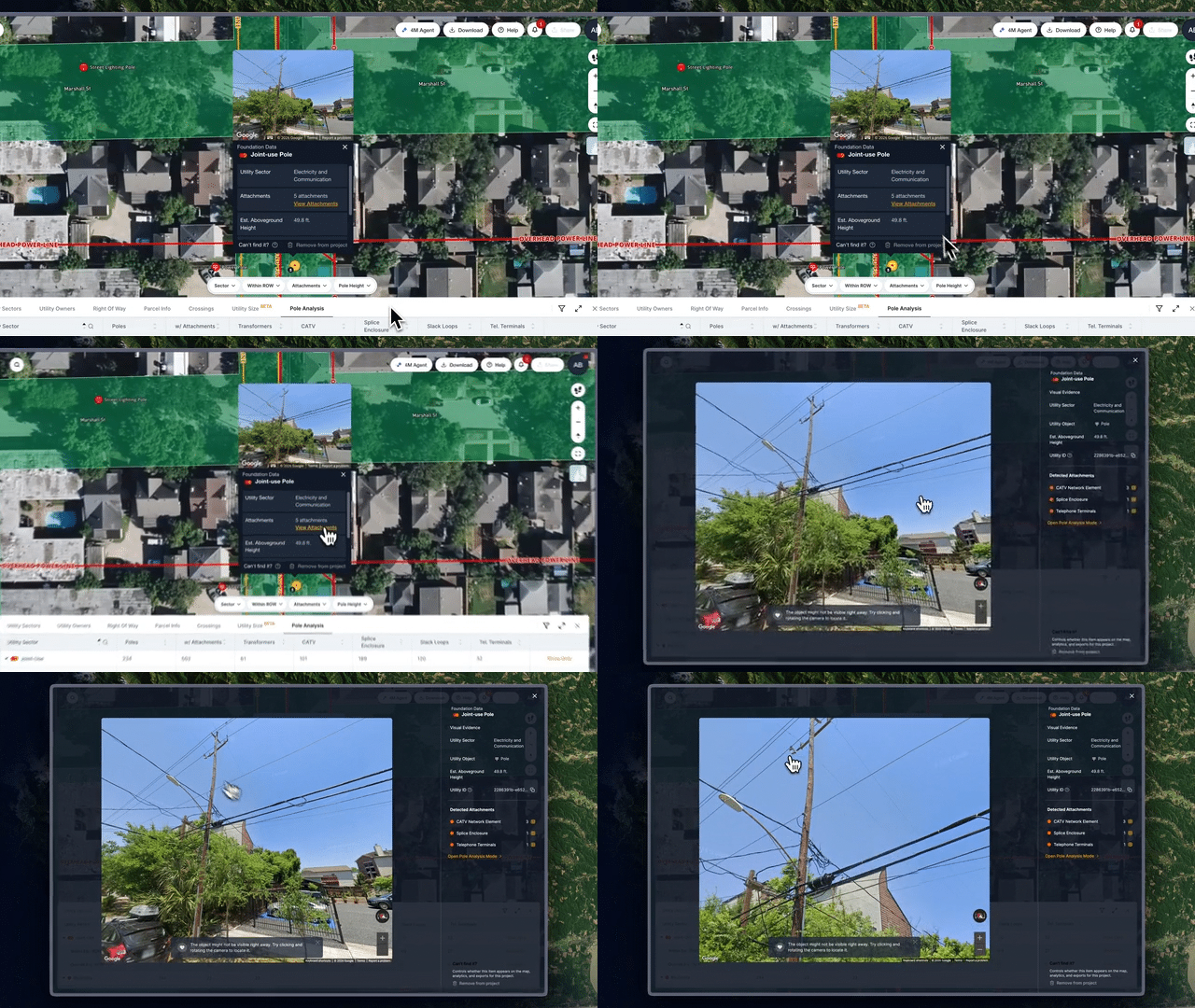
Last month we released pole attachments and attributes on the map. This month, we went deeper. The new Pole Analysis tab gives T&D and transportation teams a centralized view to slice and dice all pole data within a project, by sector, attachment type, height, and ROW status, so you can answer corridor-level questions without a field visit.
To get started, go to the side left panel and click “Explore” next to Utility Line Segmentation to open the table at the bottom of any project. Then click the Pole Analysis tab on the right to start exploring the data. This is available by default for all new projects as part of Object Detection.
Admin & User Management Improvements: Bulk Actions
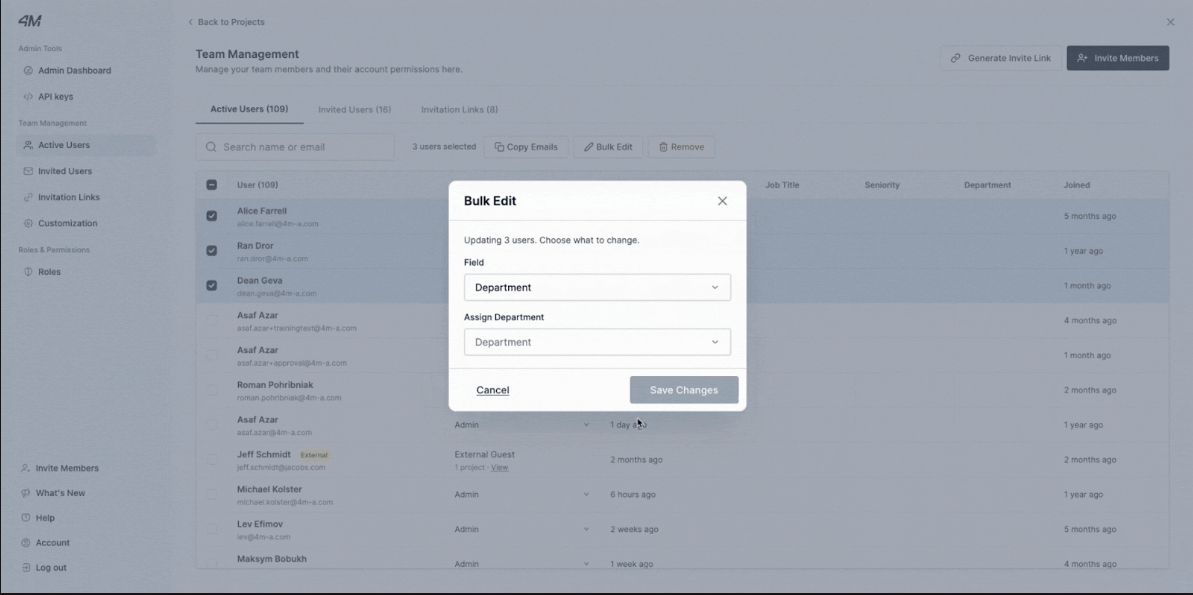
Managing a large team just got easier. Admins can now bulk edit user settings directly from the Active Users tab, with the ability to update department, role, seniority, and more across multiple users at once. The Active Users tab also now displays these properties as dedicated columns, giving admins a clearer picture of who's on the platform and how they're organized.
See you next month
May's releases reflect a simple but important goal: making it easier to get to the insight you need, whether that's understanding a corridor of poles before you mobilize, or knowing exactly who on your team is using 4M and how.
As always, if you have questions about these updates or want to learn more, reach out to your Customer Success Manager or explore our help center for step-by-step guidance.

Recent blog posts

.png)
.svg)



.png)

Our Newsletter
Join 7k infrastructure professionals
Get monthly insights on ways to build smarter, faster and safer with Utility AI.