Here's What's New in 4M: February 2026
Written by

Chris Garafola
Published on
.svg)
March 3, 2026
Table of contents
February was all about strengthening the evidence behind every project. This month, we expanded object detection with additional on-surface utility indicators, improved DOT workflows with a mile-marker layer, and added deeper context to utility data streamed via WFS. These updates are designed to help you plan with greater precision and move seamlessly between 4M and your downstream systems. Here’s what’s new this month.
New Features and Updates
New Utility Evidence Layer: Marking Posts & Flags
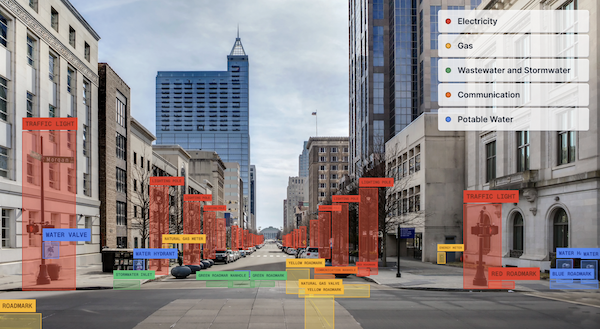
Temporary field markings, like locator flags and marking posts, are critical indicators of underground utilities. But they’re often short-lived, undocumented, and easy to miss once removed from the field.
Now, 4M automatically detects and maps marking posts and flags as a new utility evidence layer directly within your project.
Within the platform:
- Flags are identified and marked by color
- Posts are identified by sector and color
Why it matters: Capturing these temporary surface indicators preserves critical context that would otherwise disappear. Combined with Lines, Objects, and Road Marks, Marking Posts & Flags connect every piece of evidence in one place, giving teams earlier certainty about what’s underground and reducing missed utilities, redesigns, and field rework.

Linear Mile Posts (Texas & California)
For DOT and transportation teams, projects are often defined by mile markers. This is why 4M added this as a new layer, so teams can be precise when drawing project boundaries.
With Linear Mile Posts, you can now:
- View mile markers as a dedicated layer that you can toggle on or off
- Search for mile markers directly using address search
- Create project boundaries based on mile markers
This release supports DOT workflows by connecting projects directly to linear reference systems.
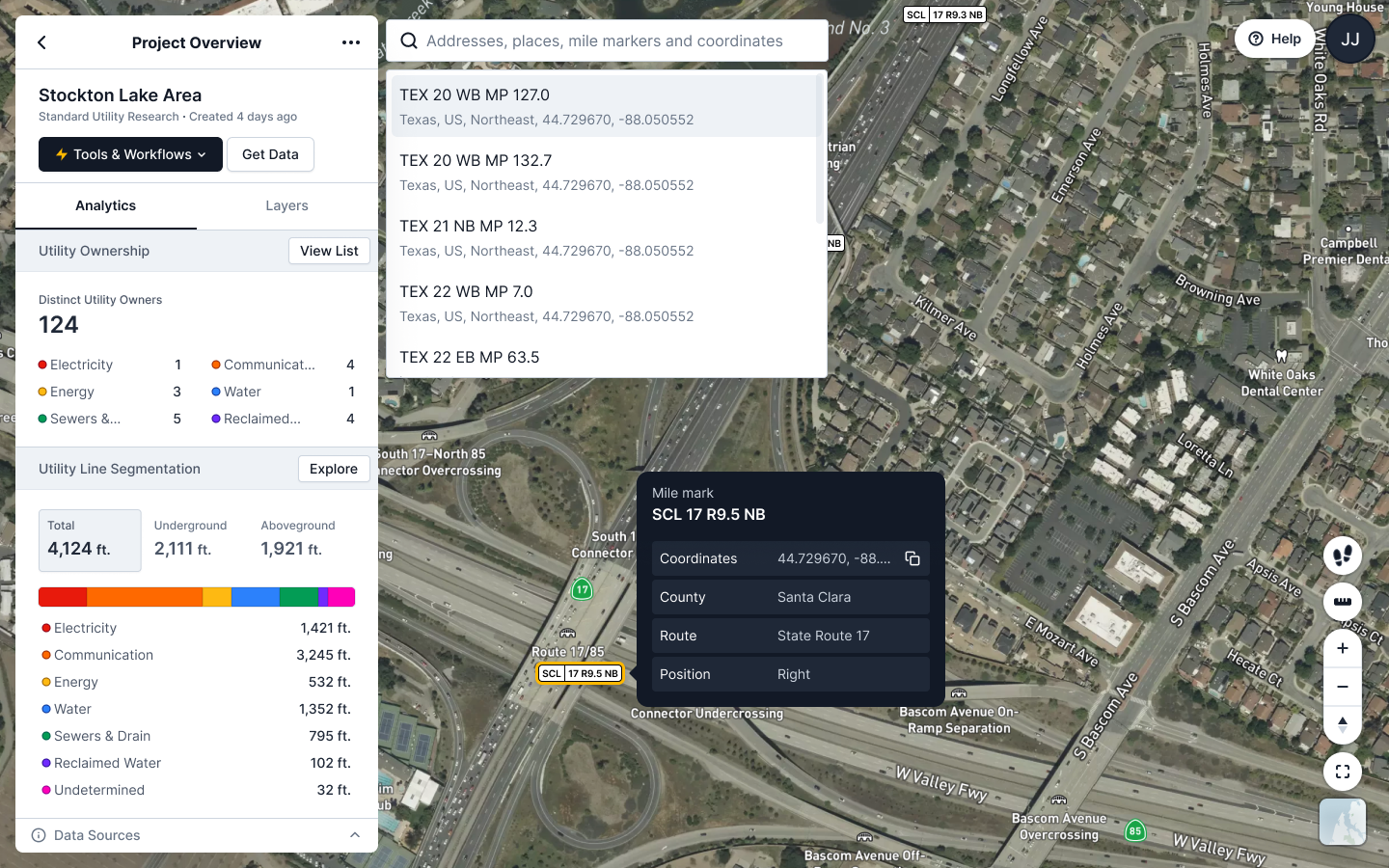
Why it matters: By aligning projects to how DOTs and transportation agencies actually scope work, teams can search, assess, and define project areas more accurately, reducing friction between planning, engineering, and coordination.
Currently available for projects in Texas and California with more states to follow. This layer is available by request only, so contact your CSM to enable this on your projects.
WFS Updates: Deeper Context, Clearer Traceability
We’ve enhanced our WFS streaming capabilities to give teams even more context and confidence when bringing 4M data into external GIS and CAD environments.
New WFS improvements include:
- Custom attributes manually entered through UI such as depth on utility lines, adding valuable subsurface context for downstream analysis and conflict evaluation
- A dedicated project layer, making it easier to stream project boundaries and metadata directly in your GIS workflows
- A timestamp on every utility line, providing clearer visibility into when data was generated or updated
Why it matters: When 4M data flows into your external systems, it should carry the same richness and traceability as it does inside the platform. With depth information, project-level structure, and line-level timestamps, teams can better assess risk, validate recency, and coordinate with greater confidence, all without manual data enrichment.
These updates further strengthen 4M as a live, connected utility data source embedded directly into your existing workflows.
See you next month
February’s updates focus on one thing: preserving and enriching utility evidence so teams can design and coordinate with more confidence. From temporary surface markings to DOT mile markers to deeper line attributes, 4M continues to connect every layer of insight into a single source of truth.
As always, if you have questions about these updates or want to learn more, reach out to your Customer Success Manager or explore our help center for step-by-step guidance.

Recent blog posts

.png)

.svg)

.png)

Our Newsletter
Join 7k infrastructure professionals
Get monthly insights on ways to build smarter, faster and safer with Utility AI.