Here's What's New in 4M: December 2025
Written by

Chris Garafola
Published on
.svg)
January 1, 2026

Table of contents
As the year came to a close, December brought meaningful improvements across access management, data depth, and design workflows, alongside important security enhancements to keep your account protected.
Here’s what’s new this month.
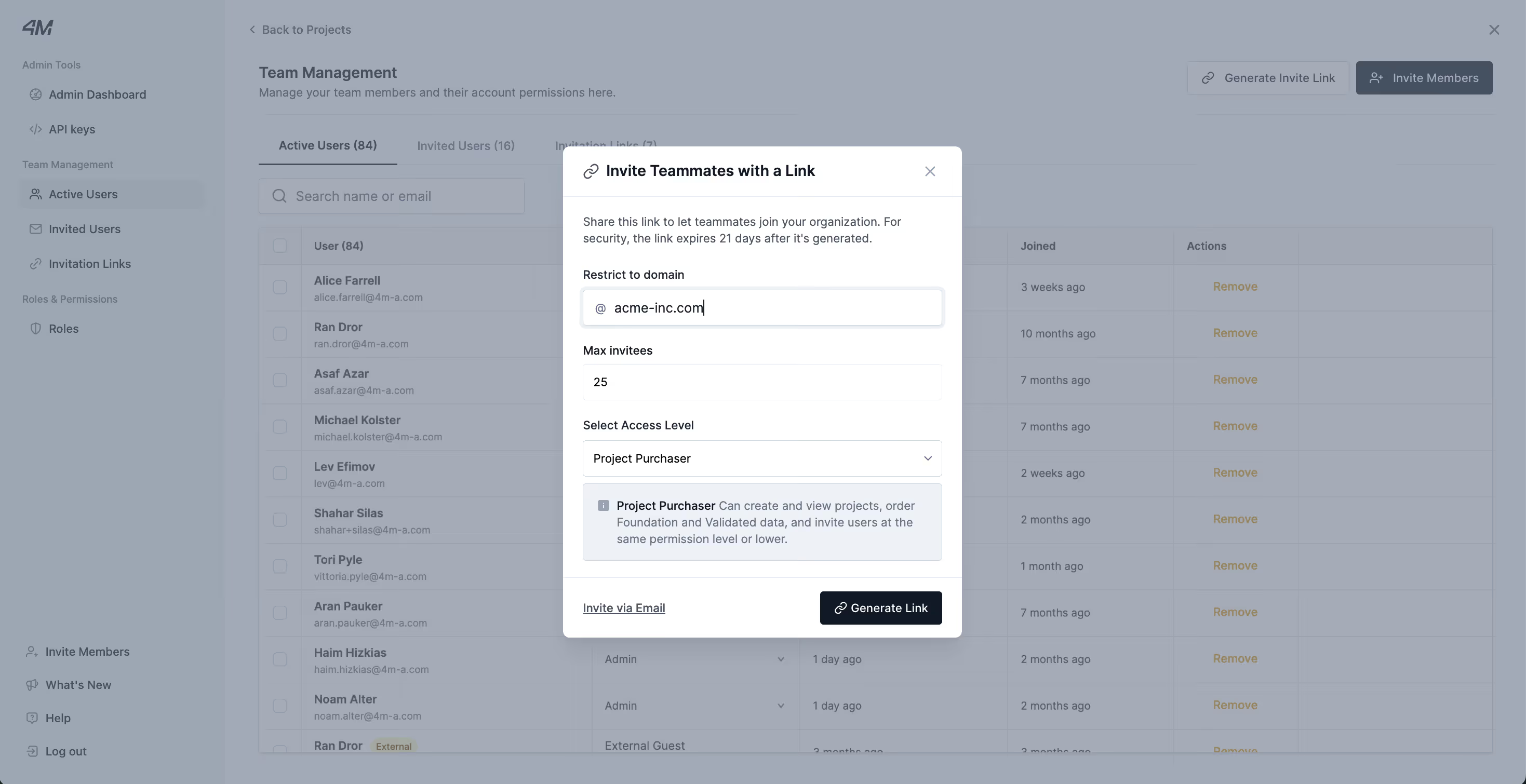
Streamlined User Access With Domain-Based Invite Links
Admins can now generate invite links tied to a specific email domain, making it faster and easier to onboard new users into 4M.
Instead of managing individual email invitations, Admins can:
- Create an invite link with a predefined access level
- Share it internally with teams using an approved email domain
- Allow users to self-serve account creation while maintaining access control
Why it matters: This removes friction from onboarding, reduces administrative overhead, and ensures the right users get the right access, without chasing invite emails.
Availability: This feature is available by request. To learn more or request access, reach out to your Customer Success Manager.
More Detailed Utility Line Attributes for Better Context
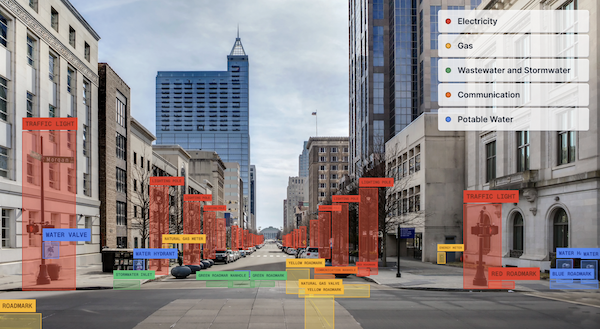
Your utility data just got more informative. Depending on data availability, utility lines can now display enhanced attributes, including:
- Expanded coverage for diameter, size, and meter information
- Clear distinction between above-ground vs. underground utilities
- Identification of transmission vs. distribution networks
Why it matters: Richer attribute data means better decision-making earlier in the project lifecycle, helping teams reduce assumptions, improve coordination, and design with greater confidence.
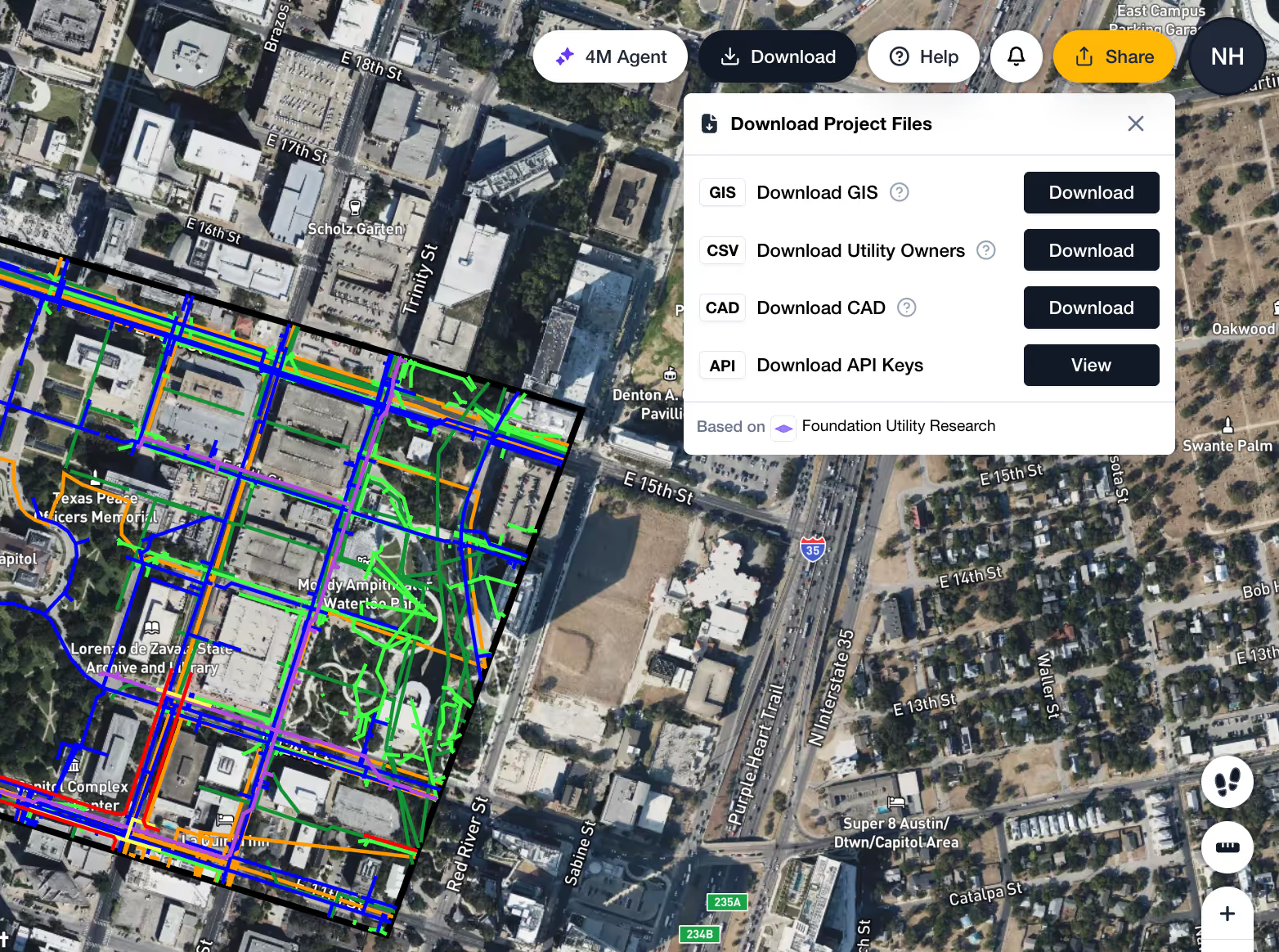
NEW: Download 4M Foundation Maps in CAD Formats
You can now export your 4M Foundation map directly into CAD file formats, enabling seamless use of 4M data within your existing design workflows.
This allows teams to:
- Bring authoritative 4M data into CAD environments
- Reduce rework and manual data translation
- Maintain consistency between planning and design phases
Availability: This feature is currently an add-on. To learn more or request access, reach out to your Customer Success Manager.
New Security Updates to Keep Your Account Protected
To align with DOT security standards and better protect customer data, we’ve rolled out several security updates across the platform.
Session & Login Updates
- If you close your 4M tab, you’ll be logged out after 60 minutes
- If you keep a tab open, your session will expire after 30 days, regardless of activity, and you’ll need to log in again
Updated Password Requirements
- Passwords must be at least 16 characters
- Must include uppercase and lowercase letters, numbers, and special characters
- Passwords must be updated every 60 days
No immediate action is required. Users will be prompted to update their password when it expires under the new policy.
Why it matters: These changes strengthen account protection while ensuring 4M remains compliant as adoption grows across enterprise organizations and public agencies.
See you next month
December’s updates focus on removing friction, whether that’s faster user access, more actionable utility data, or tighter integration with design tools, while continuing to raise the bar on security and compliance.
As always, if you have questions about any of these updates or want to enable new capabilities, reach out to your CSM. Explore our help center for step-by-step guides and in-depth explanations of the 4M platform.
Thanks for building with us, and happy New Year from the 4M team.

Recent blog posts

.png)

.svg)


.png)

Our Newsletter
Join 7k infrastructure professionals
Get monthly insights on ways to build smarter, faster and safer with Utility AI.